
Spinrise Payment Methods (Deposits & Withdrawals) in Australia
Spinrise supports 16 payment methods for Australian players, including Visa/Mastercard, Apple Pay, Skrill, NeoSurf, and CoinsPaid crypto. Deposits start from AUD 10, with maximum limits reaching AUD 7,700 per transaction depending on the method. Funds reach your account instantly for most options, and withdrawals are processed within 0 to 24 hours. New players in Australia also receive a 111% welcome bonus up to AUD 1,200 (equivalent to EUR 777) plus 111 free spins on their first deposit.
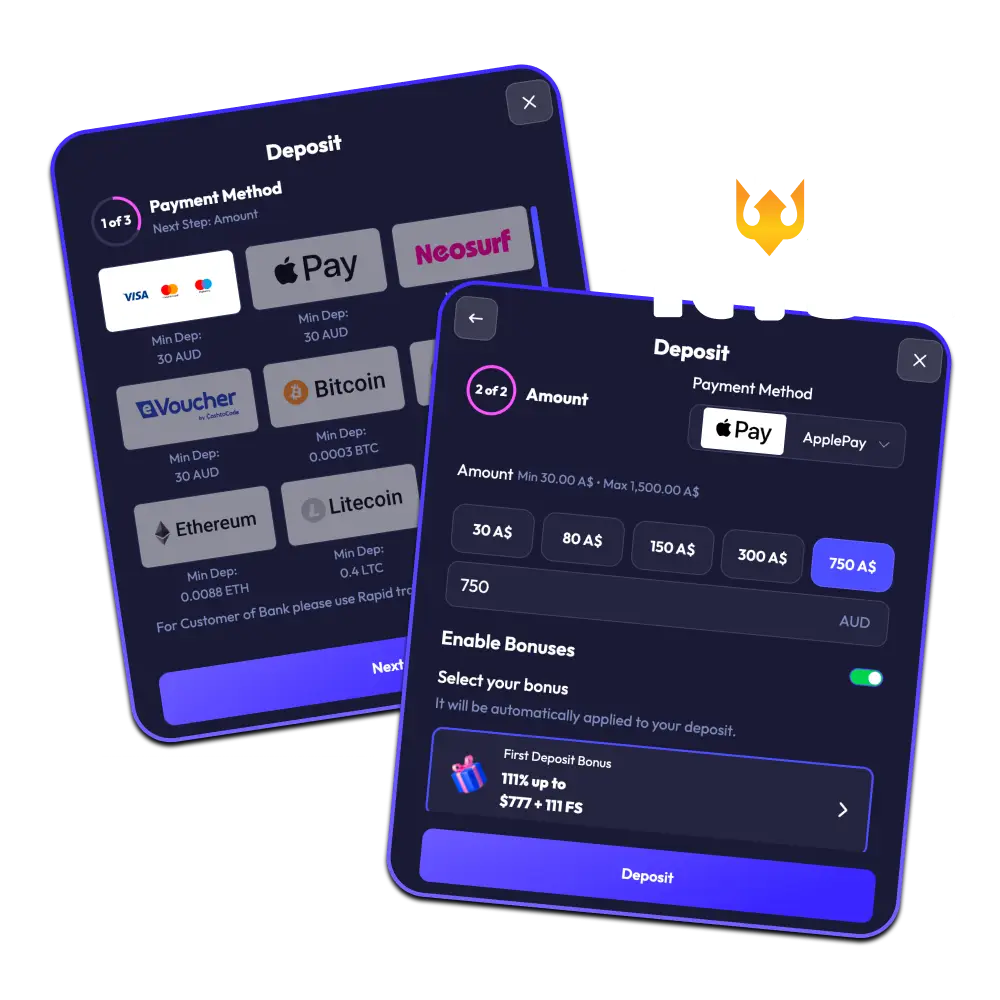
Spinrise Deposit Methods, Time, and Limits
Spinrise offers Australian players 16 deposit methods, covering cards, e-wallets, bank transfers, vouchers, and crypto. Zero commission is charged on all incoming transactions, and most deposits are credited instantly.
| Deposit Method | Min Deposit (AUD) | Max Deposit (AUD) | Deposit Time | Fees |
|---|---|---|---|---|
| Credit/Debit Card | AUD 10 | AUD 7,700 | Instant | None |
| Apple Pay | AUD 10 | AUD 7,700 | Instant | None |
| Skrill | AUD 10 | AUD 7,700 | Instant | None |
| MiFinity | AUD 10 | AUD 7,700 | Instant | None |
| NeoSurf | AUD 10 | AUD 3,850 | Instant | None |
| CoinsPaid (Crypto) | AUD 15 | AUD 15,400 | Up to 30 min | None |
| AstroPay | AUD 10 | AUD 3,850 | Instant | None |
| MuchBetter | AUD 10 | AUD 7,700 | Instant | None |
| Noda (Pay via Bank) | AUD 10 | AUD 7,700 | Instant | None |
| Cashtocode | AUD 10 | AUD 1,540 | Instant | None |
How to Deposit on Spinrise in Australia
To deposit at Spinrise, you need a registered and verified account plus at least one active payment method. The entire process takes under two minutes for most options.
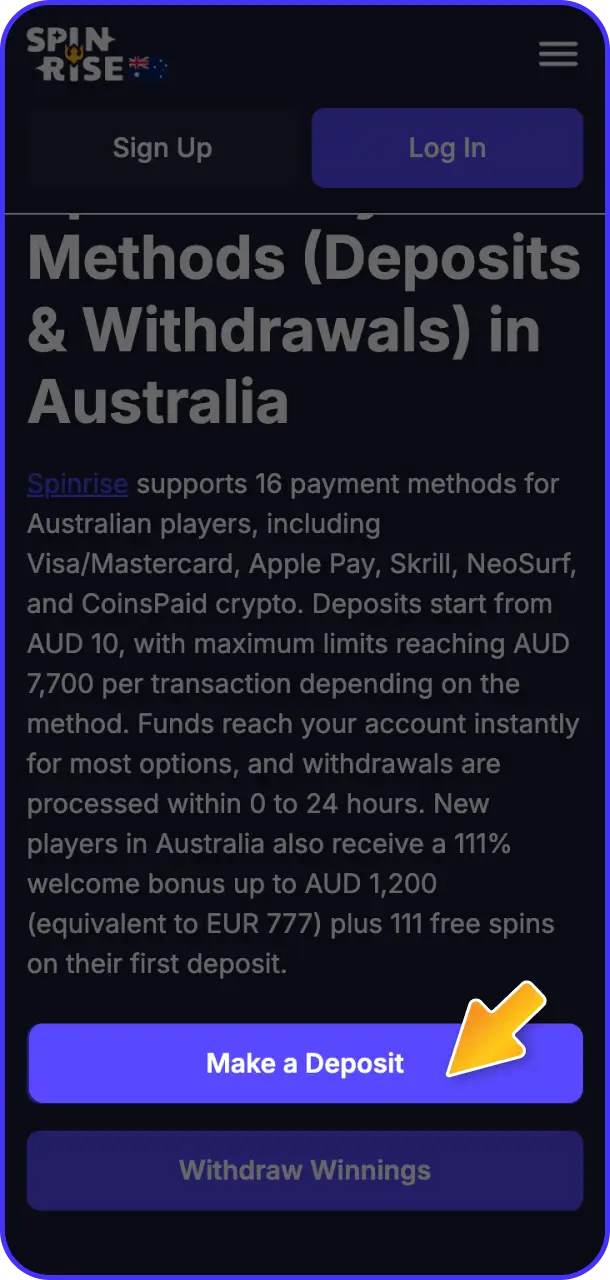
Register or Log In
Click the button below to open your Spinrise account or sign in to your existing one. New players must complete registration and basic identity verification before their first deposit is accepted.
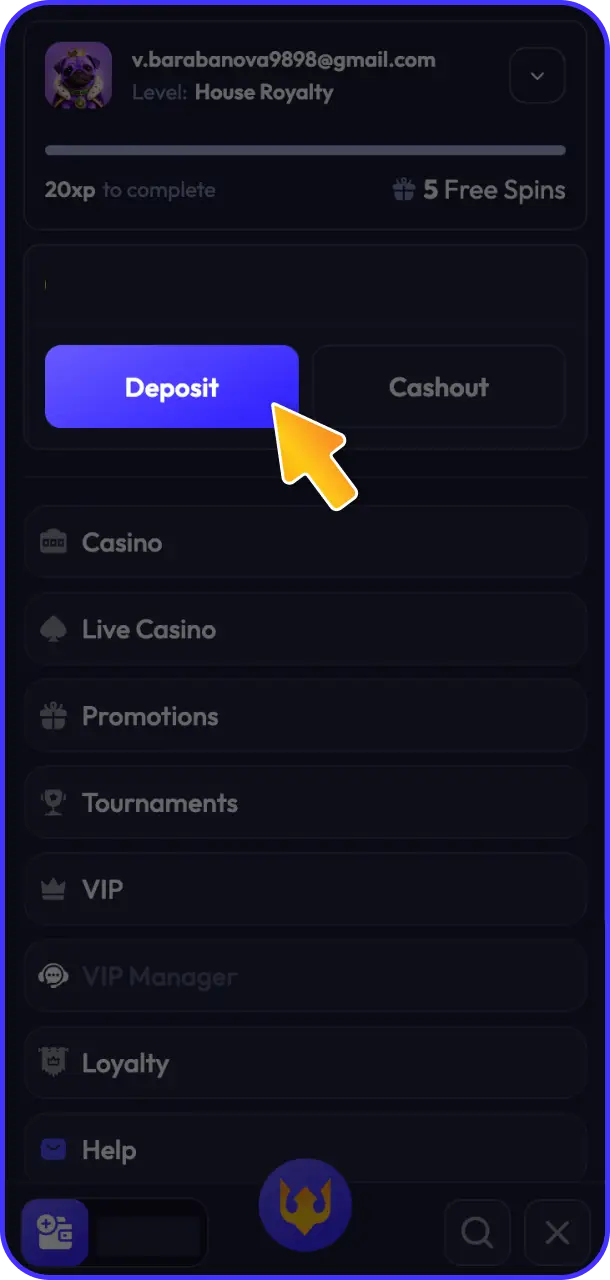
Go to the Cashier
Navigate to the Cashier section from your account dashboard. Select "Deposit" to view all available payment options for Australia.
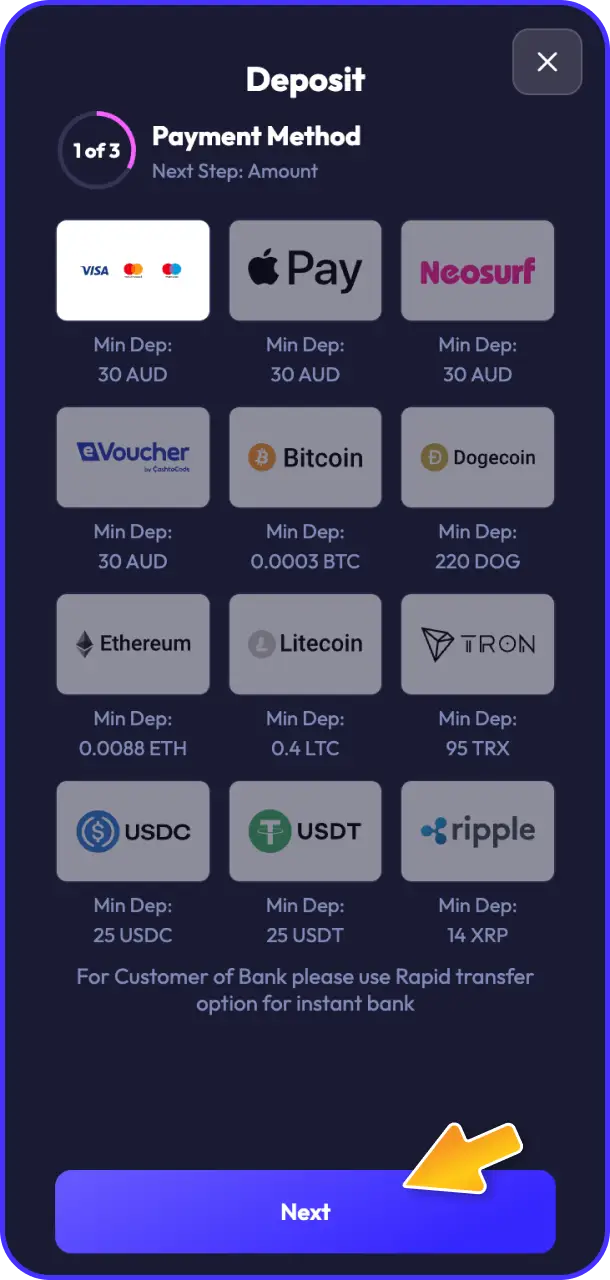
Choose Your Payment Method
Select your preferred deposit method from the 16 options listed. Options include Credit/Debit Card, Apple Pay, Skrill, NeoSurf, CoinsPaid, and more.
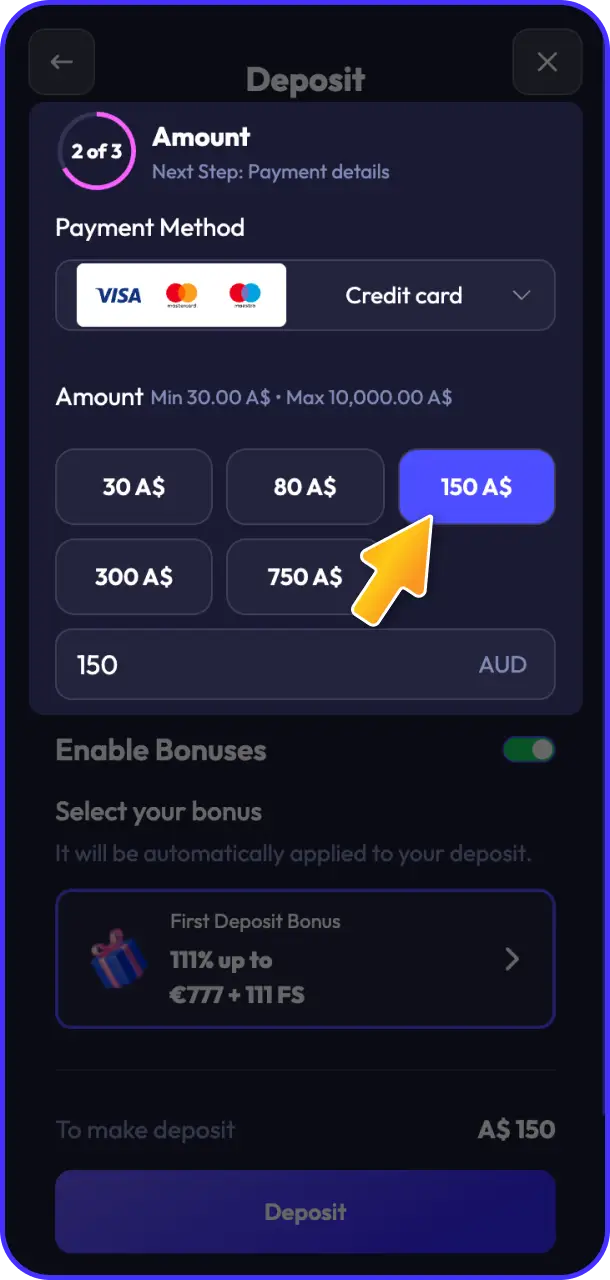
Enter the Deposit Amount
Type in the deposit amount within the minimum (AUD 10) and maximum limits for your chosen method. If you want to activate the welcome bonus, ensure your deposit meets the minimum qualifying amount.
Confirm the Transaction
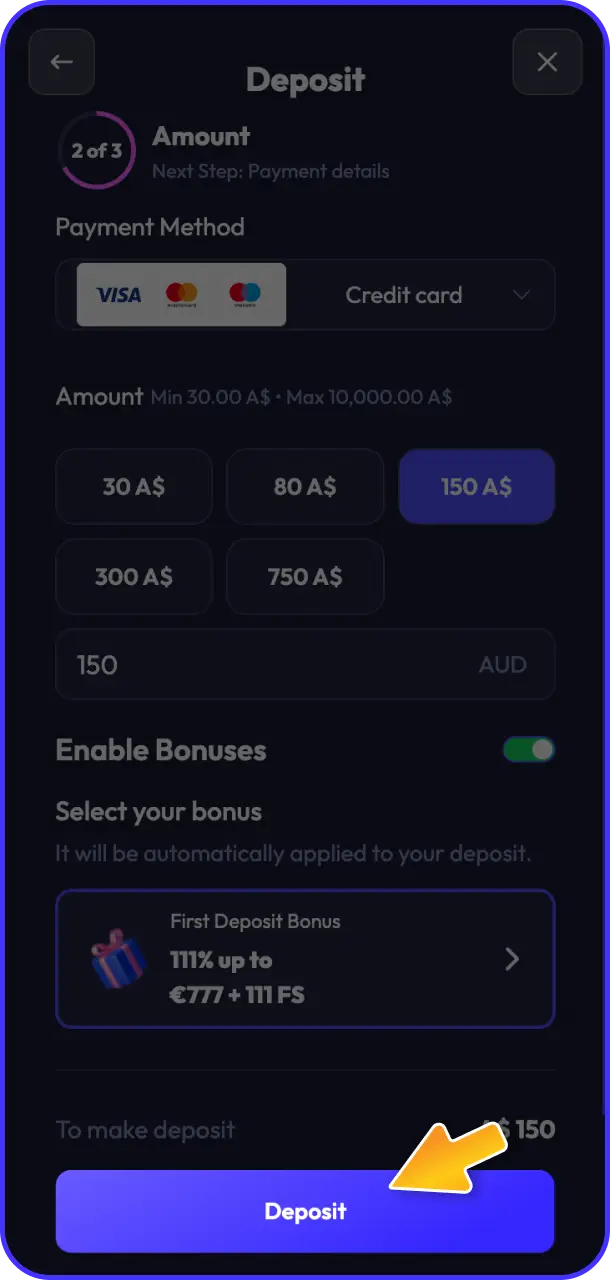
Authorise the payment through your chosen method and wait for confirmation. Funds appear in your Spinrise balance instantly for most methods, with crypto deposits taking up to 30 minutes.
Spinrise First Deposit Bonus for New Players
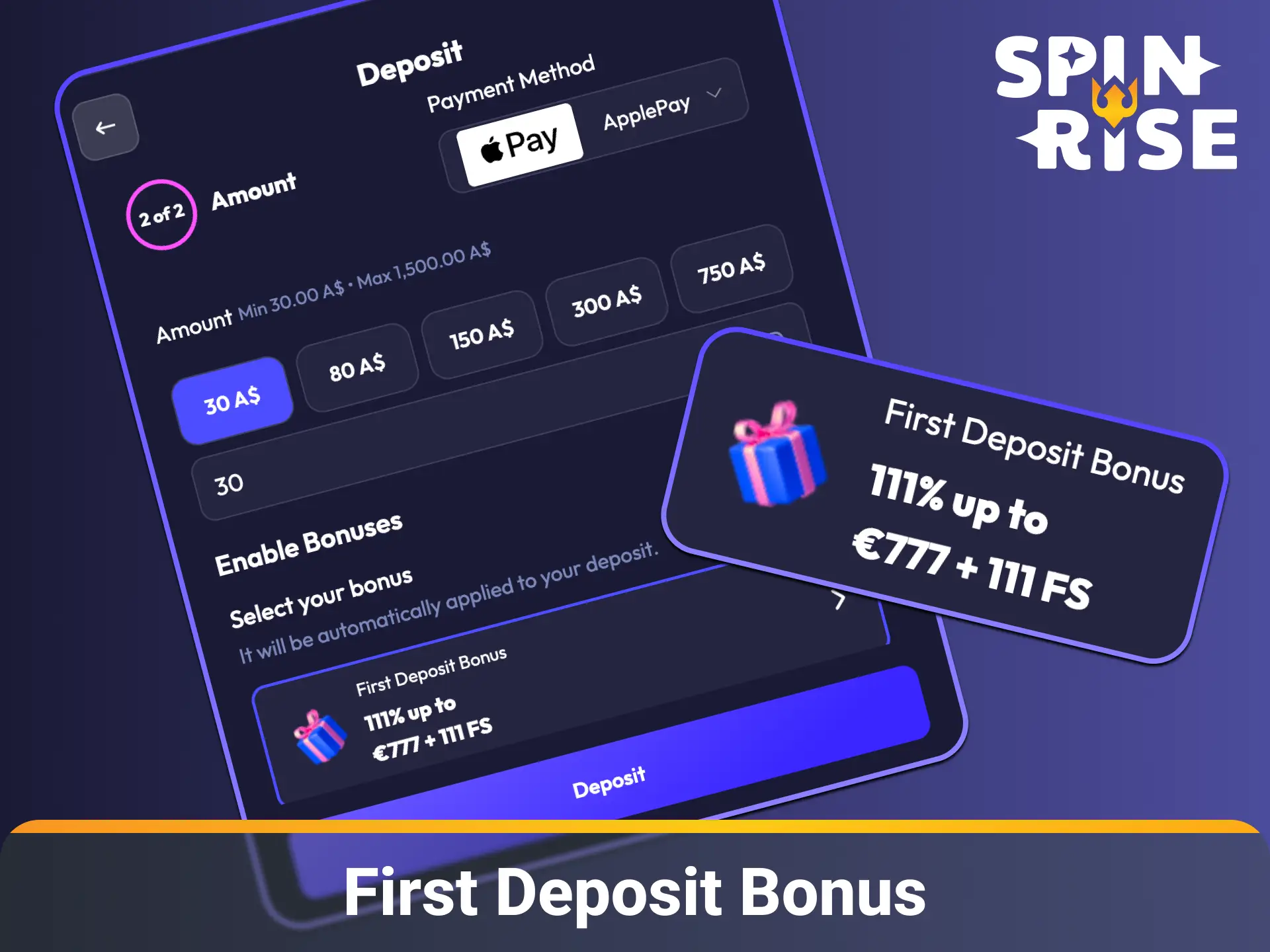
Spinrise awards new Australian players a 111% welcome bonus on their first deposit, up to AUD 1,200 (equivalent to EUR 777), plus 111 free spins. This offer applies exclusively to the casino section of the platform.
Bonus Details
- Bonus Percentage: 111% of the first deposit amount;
- Maximum Bonus: Up to AUD 1,200 (EUR 777 equivalent);
- Free Spins: 111 free spins, credited alongside the deposit bonus;
- Minimum Deposit: AUD 15 to qualify for the welcome offer;
- Applicable Section: Casino (slots and live casino games);
- How to Activate: Register your Spinrise account, navigate to the Cashier, and deposit a minimum of AUD 15. The bonus is credited automatically to your account balance;
- Wagering Requirements: The deposit bonus and free spin winnings carry a 40x wagering requirement before withdrawal is permitted. For example, a AUD 100 deposit yields a AUD 111 bonus, requiring AUD 4,440 in total wagering to clear.
Bonus funds and free spin winnings must be wagered within 21 days of activation. Only casino games contribute to the wagering requirement; sportsbook bets do not count toward clearing this offer.
Spinrise Withdrawal Methods, Time, and Limits
Spinrise processes withdrawals for Australian players through the same methods available for deposits. No fees are charged on any payout, and the minimum withdrawal starts at AUD 15, with requests typically processed within 0 to 24 hours.
| Payment Method | Min Withdrawal (AUD) | Max Withdrawal (AUD) | Withdrawal Time | Fees |
|---|---|---|---|---|
| Credit/Debit Card | AUD 15 | AUD 7,700 | Up to 24 hours | None |
| Apple Pay | AUD 15 | AUD 7,700 | Up to 24 hours | None |
| Skrill | AUD 15 | AUD 7,700 | Up to 12 hours | None |
| MiFinity | AUD 15 | AUD 7,700 | Up to 12 hours | None |
| NeoSurf | AUD 15 | AUD 3,850 | Up to 24 hours | None |
| CoinsPaid (Crypto) | AUD 20 | AUD 15,400 | Up to 1 hour | None |
| AstroPay | AUD 15 | AUD 3,850 | Up to 24 hours | None |
| MuchBetter | AUD 15 | AUD 7,700 | Up to 12 hours | None |
| Noda (Pay via Bank) | AUD 15 | AUD 7,700 | Up to 24 hours | None |
| eZeeWallet | AUD 15 | AUD 7,700 | Up to 12 hours | None |
How to Withdraw Money from Spinrise
To collect your winnings at Spinrise, your account must be fully verified (KYC complete) and any active bonus wagering requirements must be cleared. Australian players can request a Spinrise withdrawal in five straightforward steps.
Log In to Your Account
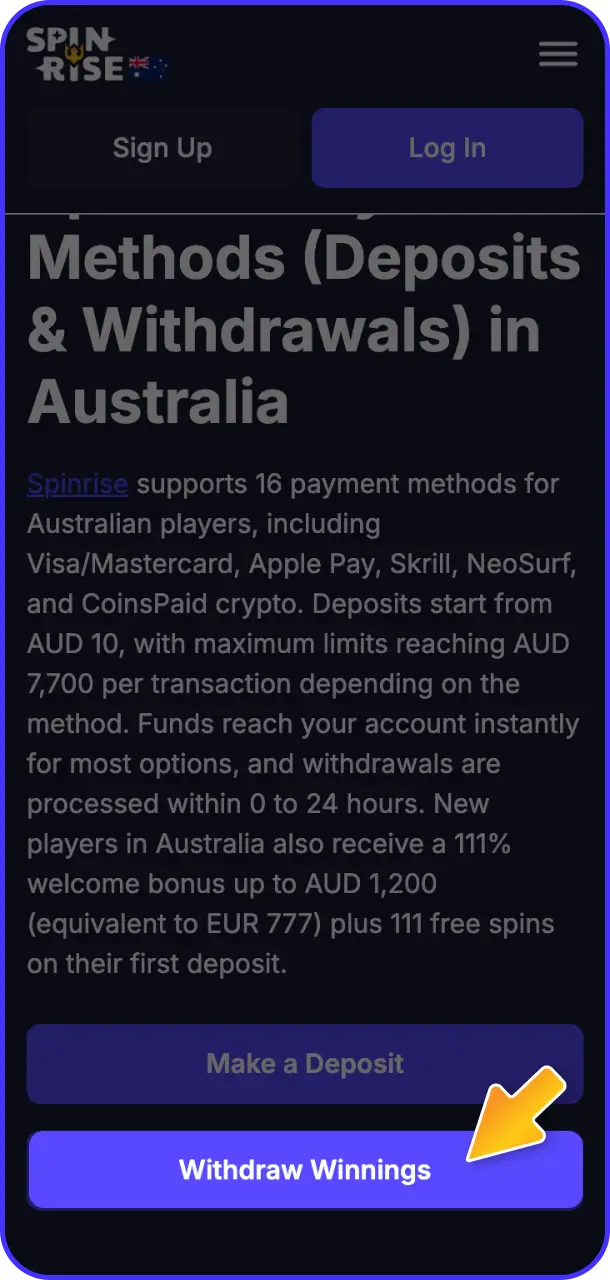
Click your account icon on this page to access your Spinrise dashboard. Confirm your account is verified and your available balance reflects the funds you wish to withdraw.
Open the Cashier
Go to the Cashier section and select the “Withdrawal” tab. All eligible payment methods for your region will appear automatically.
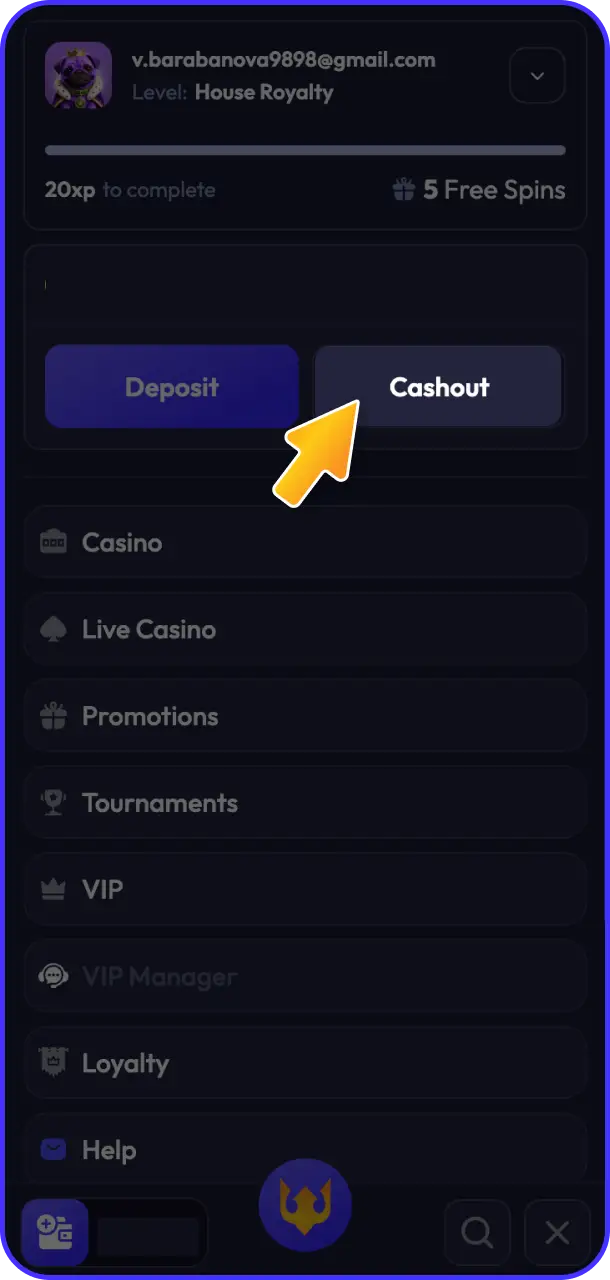
Select a Withdrawal Method
Choose the method you used for your original deposit, as Spinrise applies a same-method policy for first withdrawals. Options include Skrill, MuchBetter, CoinsPaid, Credit/Debit Card, and more.
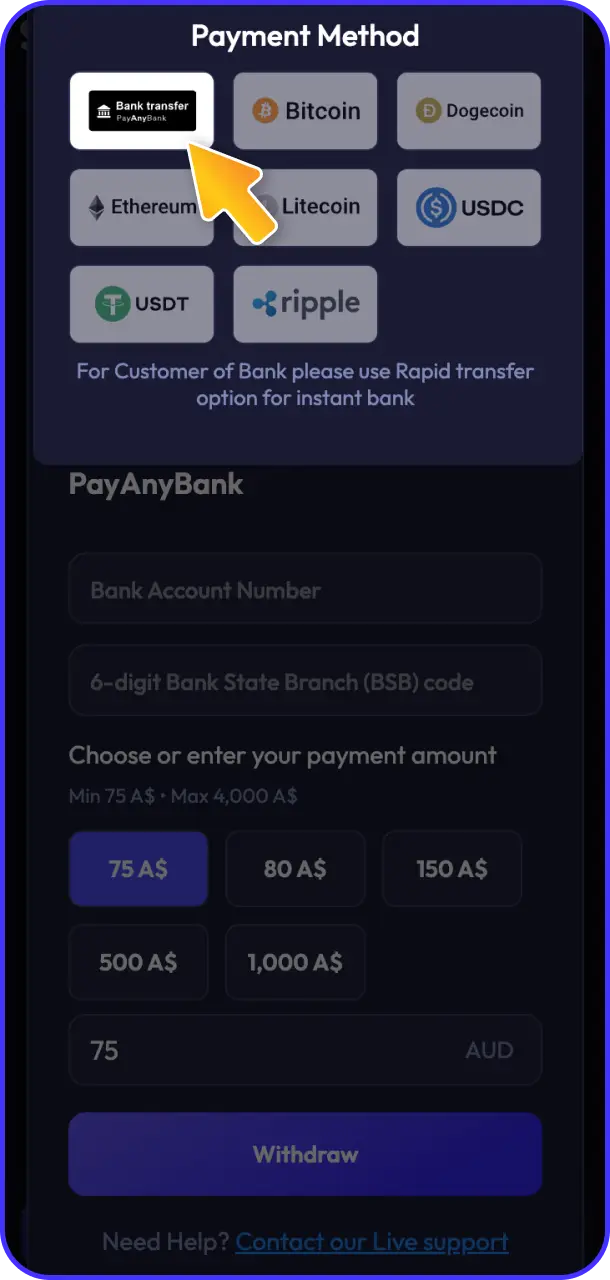
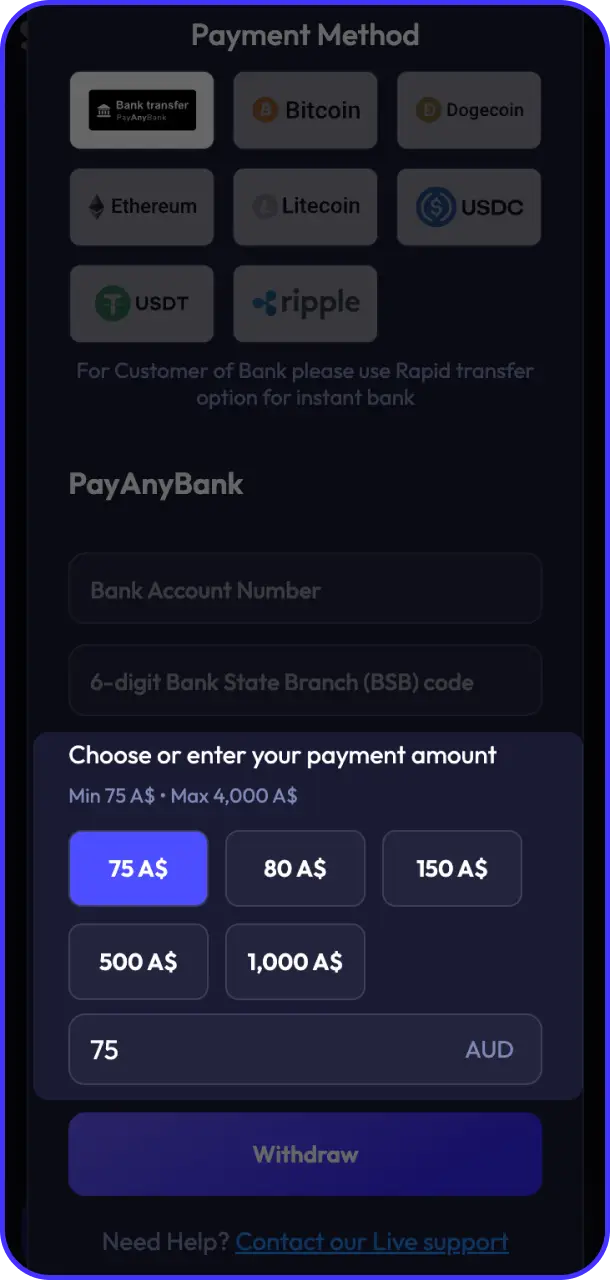
Enter the Withdrawal Amount
Input the amount you want to withdraw, respecting the minimum (AUD 15) and maximum limits for your chosen method. Partial withdrawals are permitted; you do not need to withdraw your entire balance.
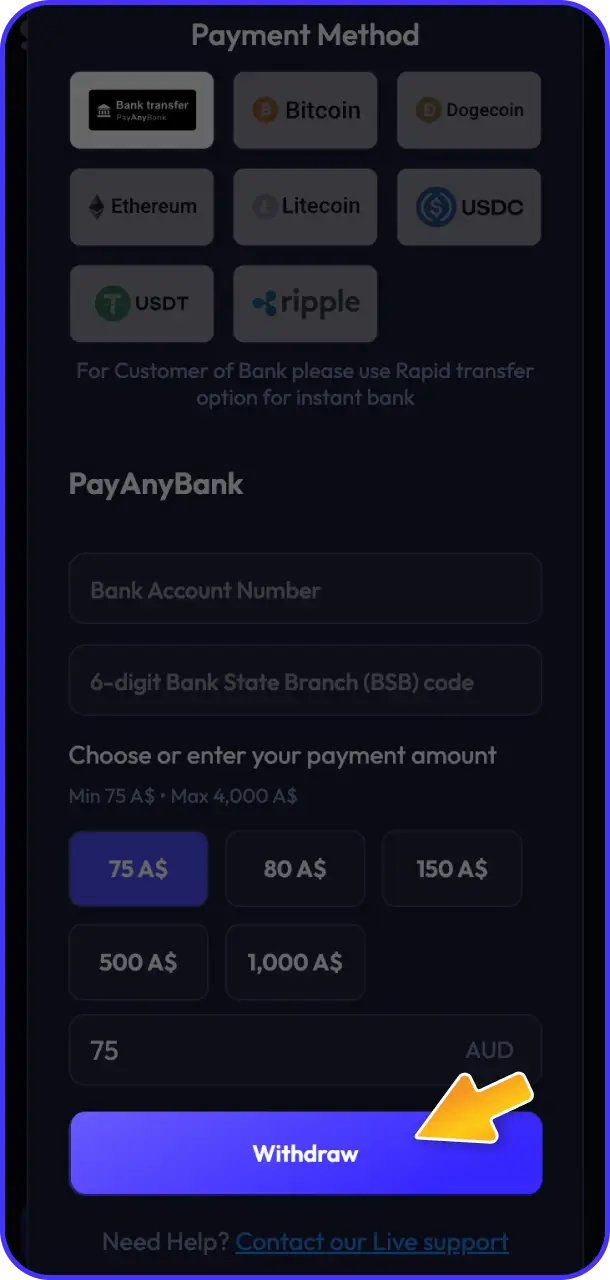
Submit the Request
Confirm the withdrawal request and wait for processing. E-wallet methods such as Skrill and MuchBetter are typically processed within 12 hours, with card and bank options completed within 24 hours.
How to Deposit and Withdraw on Spinrise via App
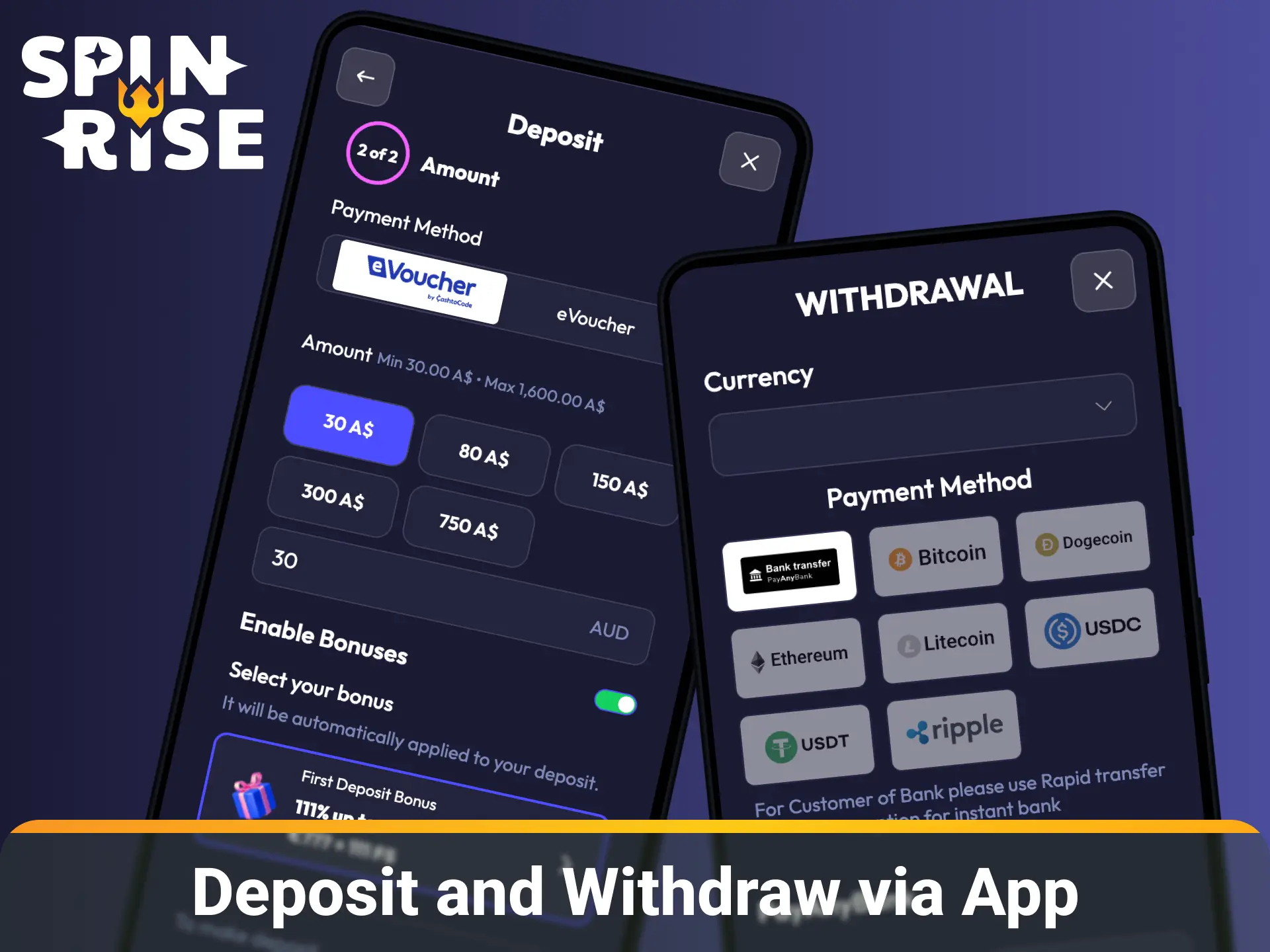
Spinrise supports full financial transactions through its mobile platform, accessible via the dedicated app or the mobile browser version. You need a verified account, a stable internet connection, and a linked payment method to initiate any deposit or withdrawal from your mobile device.
- Open the Spinrise App or Mobile Site: Tap the login button on the Spinrise app or visit the mobile site and sign in to your account. First-time users can complete registration and KYC verification directly within the mobile interface.
- Access the Mobile Cashier: Tap the Cashier icon within the app menu. The interface automatically displays the Deposit and Withdrawal options available for your account and location.
- Select Deposit or Withdrawal: Choose the transaction type and pick your preferred payment method from the full list of 16 options. All methods available on desktop, including Apple Pay, Skrill, and CoinsPaid, are accessible on mobile.
- Enter the Transaction Amount: Type the amount you want to deposit or withdraw within the stated limits (minimum AUD 10 for deposits, AUD 15 for withdrawals). Apple Pay users can authorise the transaction using Face ID or Touch ID directly within the app.
- Confirm and Track: Tap Confirm to submit your request and monitor the transaction status from your account history tab. Deposit confirmations appear within seconds; withdrawal statuses update within the processing window.
All mobile transactions on Spinrise are protected by SSL encryption and two-factor authentication, so you can proceed with full confidence.
Spinrise Payment Rules and Conditions
Spinrise applies a clear set of payment policies to all Australian accounts. Understanding these conditions ensures your transactions are processed without delay.
- Identity Verification (KYC): All accounts must complete identity verification before a withdrawal request is accepted. Required documents include a government-issued ID and proof of address dated within the last 3 months;
- Same-Method Withdrawal Policy: The first withdrawal must be processed via the same payment method used for the most recent deposit. This policy applies until full KYC verification is completed;
- Currency Conversion: Spinrise accounts operate in EUR as the base currency. AUD deposits are automatically converted at the current exchange rate, which may cause minor variance in final credited amounts;
- Bonus Wagering Before Withdrawal: Any active bonus balance must be fully wagered (40x requirement) before the associated funds become eligible for withdrawal. Attempting to withdraw with an active bonus forfeits the bonus amount;
- Transaction Limits Per Method: Each payment method carries its own daily and per-transaction limits. CoinsPaid crypto withdrawals allow up to AUD 15,400 per transaction, while voucher methods like NeoSurf are capped at AUD 3,850.
Possible Problems with Payments on Spinrise
A small number of payment issues can arise during deposits or withdrawals. Each has a straightforward resolution.
- Deposit Not Credited: If funds leave your bank or e-wallet but do not appear in your Spinrise balance within 30 minutes, check your transaction history in the Cashier section. If the status shows as pending, contact the support team with your transaction ID for a manual review;
- Withdrawal Request Declined: A declined withdrawal most commonly occurs when KYC verification is incomplete or an active bonus has not been fully wagered. Complete your identity verification in the Account Settings section and ensure all wagering requirements are met before resubmitting;
- Card Payment Refused: Some Australian banks block transactions to overseas gaming platforms at the issuer level. Contact your bank to authorise the payment or switch to an alternative method such as Skrill, Apple Pay, or NeoSurf;
- Incorrect Currency Conversion: AUD deposits are converted to EUR at the live exchange rate. If the credited amount appears lower than expected, the variance is the result of the conversion rate applied at the moment of the transaction, not a platform fee;
- Delayed Crypto Deposit: CoinsPaid deposits require blockchain network confirmations, which can take up to 30 minutes during periods of high network congestion. Verify that you used the correct wallet address and network before contacting support.
Customer Support
Spinrise provides dedicated payment support for all Australian players through multiple contact channels, available 24 hours a day, 7 days a week.
- Live Chat: Instant access via the chat icon on any page of the platform. Average response time is under 2 minutes;
- Email Support: Reach the support team at [email protected] for detailed payment inquiries requiring documentation or screenshots;
- FAQ and Help Centre: The on-site Help Centre contains categorised articles covering deposits, withdrawals, verification, and bonus conditions for Australian players.
FAQ
Can I use multiple payment methods on the same Spinrise account?
Yes, you can add and use multiple payment methods on your account. However, your first withdrawal must be processed via the same method used for your most recent deposit, in line with the platform’s same-method withdrawal policy.
Is there a fee for currency conversion when depositing in AUD?
Spinrise charges no conversion fee directly. AUD deposits are converted to EUR at the live market exchange rate at the time of the transaction. Your bank or payment provider may apply their own conversion rates, so check with them directly.
How long does the KYC verification process take?
Identity verification is typically completed within 24 hours of submitting the required documents. During peak periods, the process may take up to 48 hours. Submitting a clear government-issued ID and a recent proof of address speeds up the review.
Are there daily or weekly withdrawal limits at Spinrise?
Withdrawal limits vary by payment method. Individual transaction limits range from AUD 3,850 (NeoSurf, AstroPay) to AUD 15,400 (CoinsPaid crypto). Contact the support team if you need to request a higher limit for a specific transaction.
Can I cancel a withdrawal request after it has been submitted?
Withdrawal requests can be cancelled while they remain in a pending status within the Cashier section. Once a request moves to processing or approved status, it cannot be reversed. Check the transaction status immediately after submission if you need to make changes.
Updated: