
Upgrade Your Experience: Download Spinrise for PC
The Spinrise desktop app delivers the full platform experience across Windows and macOS, covering live casino, slots, table games, roulette, and sports betting in a single dedicated client. It is free to download and offers a faster, more stable connection than the browser version, with no tab clutter or browser-based interruptions. Every feature available on the website is accessible in the app, with optimised performance and direct SSL-encrypted sessions built in from the start.
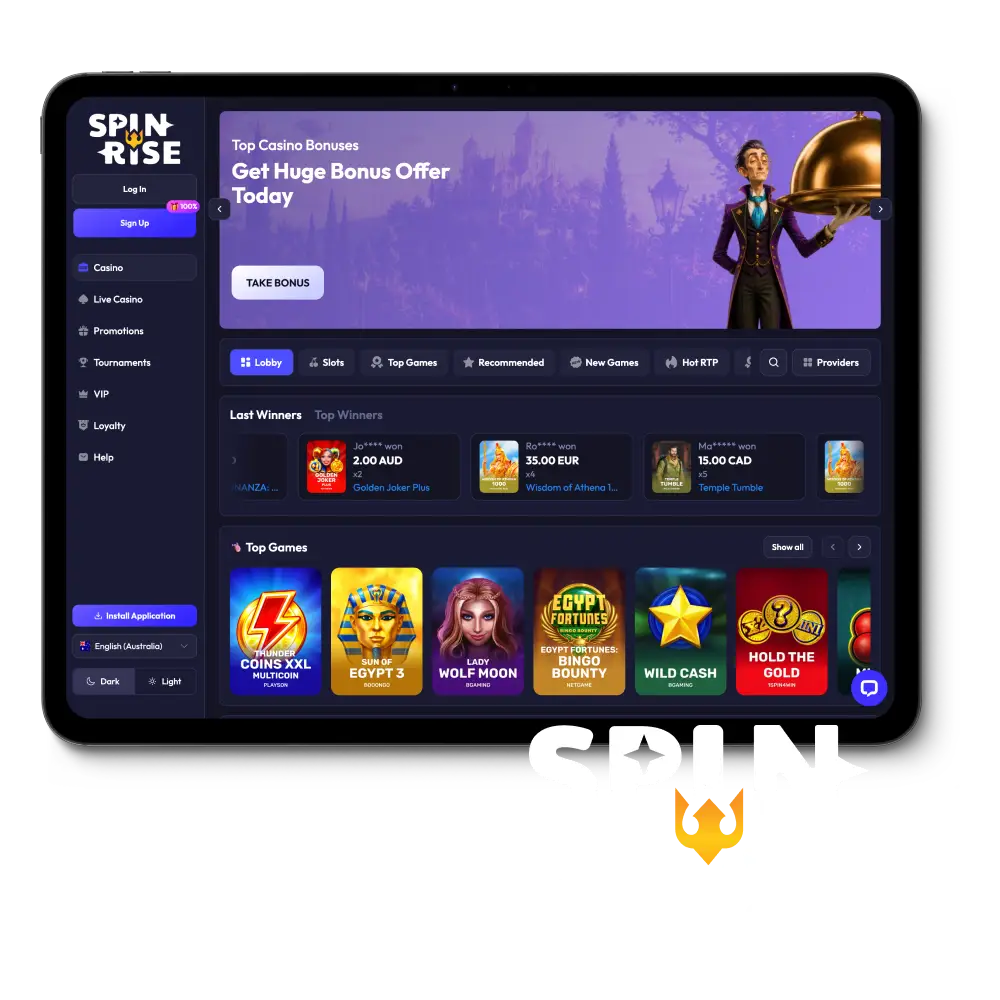
System Requirements for the Spinrise PC App
The Spinrise app for PC is lightweight, quick to install, and delivers improved load times, a dedicated session environment, and automatic anti-blocking compared to the web version. Below is a summary of key technical details for the desktop client.
| Detail | Information |
|---|---|
| PC Client Size | Approx. 85 MB |
| Available Languages | English, German, French, Portuguese, Spanish |
| Category | Sports Betting, Online Casino, Live Casino, Instant Games, Game Shows, Slots |
| Compatible with Windows | Windows 10, Windows 11 |
| Compatible with macOS | macOS 12 Monterey, macOS 13 Ventura, macOS 14 Sonoma |
PC App vs Browser: Pros and Cons
Installing the Spinrise app on your computer gives you a purpose-built environment for betting and casino play. The table below outlines the key advantages and the minor trade-offs to consider before downloading.
| Pros | Cons |
|---|---|
| Faster page and game load times compared to browser sessions | Requires an initial one-time download and install |
| Dedicated SSL-encrypted connection with no browser interference | Takes approximately 85 MB of local storage space |
| Built-in anti-blocking mechanism keeps access reliable | Not available on Chromebooks or Linux systems |
| Real-time desktop push notifications for promotions and live match updates | |
| No browser tab conflicts or session timeouts | |
| Automatic updates delivered directly through the client | |
| Full access to all games, sports markets, and banking options |
Key Features and Benefits of the Spinrise PC App
The desktop client goes beyond basic convenience. Here are the core features that set it apart from standard web browsing:
- Direct SSL Encryption: Every session runs through a dedicated encrypted connection, keeping your account data and transactions secure without relying on browser-level security;
- Automatic Anti-Blocking: Built-in proxy routing ensures you maintain access to the platform even if your ISP applies regional restrictions, with no manual configuration required;
- Real-Time Desktop Push Notifications: Receive instant alerts for live match updates, exclusive promotions, and deposit bonuses directly on your desktop, without needing the app open in the foreground;
- Optimised Game Rendering: Casino titles and live dealer streams load with reduced latency compared to browser tabs, producing a more consistent visual experience;
- Persistent Login Sessions: Your account stays logged in between sessions, eliminating repeated authentication steps each time you open the app;
- Dedicated Sports Betting Interface: The sportsbook interface is structured for fast bet placement, with live odds updated in real time across AFL, NRL, cricket, and international markets;
- All Banking Methods Included: POLi, PayID, credit and debit cards, and cryptocurrency options are all accessible directly within the desktop client.
How to Download and Install Spinrise on Windows
The Spinrise app for Windows is compatible with Windows 10 and Windows 11, requires approximately 85 MB of free disk space, and installs in under two minutes on most systems. Follow these steps to get started:
Click the Download Button
Select the “Download for Windows” button on this page to retrieve the official Spinrise setup file.
Locate the Installer
Open your Downloads folder and find the file named SpinriseSetup.exe.
Run the Installer
Double-click the .exe file. If a Windows security prompt appears, click “Run Anyway” to proceed.
Accept the Terms
Review and accept the licence agreement, then click “Install” to begin the installation process.
Complete Installation
Wait for the progress bar to finish. The process typically takes 60 to 90 seconds.
Launch the App
Click “Finish” in the installer or double-click the Spinrise desktop shortcut to open the app.
Log In or Register
Enter your existing account credentials or create a new account directly within the app to begin playing.
How to Download and Install Spinrise on Mac
The Spinrise app for Mac is compatible with macOS 12 Monterey, macOS 13 Ventura, and macOS 14 Sonoma, and installs on both Intel and Apple Silicon (M1, M2, M3) machines. Follow these steps to install it on your Mac:
Click the Download Button
Select the “Download for Mac” button on this page to save the official Spinrise disk image to your computer.
Open the DMG File
Locate SpinriseMac.dmg in your Downloads folder and double-click to mount it.
Drag to Applications
In the installer window, drag the Spinrise icon into your Applications folder.
Allow the App in Security Settings
Go to System Settings, select Privacy and Security, and click “Open Anyway” if macOS flags the app as from an unidentified developer.
Launch the App
Open your Applications folder and double-click the Spinrise icon to start the client.
Log In or Register
Sign in with your existing account or complete the registration process inside the app to begin.
How to Get the Latest Version of the App
Keeping the Spinrise PC app updated ensures you always have access to the newest games, improved security patches, and the latest odds feeds. Updates are delivered directly through the client, so you never need to visit an external source. Follow these steps to update:
- Open the App: Double-click the Spinrise icon on your desktop or in your Applications folder to launch the client.
- Check for Updates: Navigate to the Settings or Account menu within the app and select “Check for Updates.”
- Download the Update: If a new version is available, click “Update Now” to begin the download. The file size for incremental updates is typically under 20 MB.
- Restart the Client: Once the download is complete, the app will prompt you to restart. Click “Restart” to apply the update and resume your session.
How to Register and Start Playing on PC
Creating a Spinrise account via the desktop app takes under three minutes and immediately gives you access to the welcome bonus, all casino games, and the full sportsbook. Follow these steps to set up your account:
- Open the App and Select Registration: Launch the Spinrise desktop client and click the “Register” button on the login screen. You can register using your email address or by linking a social account if that option is displayed.
- Enter Your Details: Fill in your full name, date of birth, email address, and a secure password. Select Australia as your country and choose AUD as your preferred currency.
- Verify Your Account: Check your inbox for a verification email from Spinrise and click the confirmation link to activate your account.
- Make Your First Deposit and Claim Your Bonus: Log in to the app, go to the Cashier section, select your preferred payment method (POLi, PayID, card, or crypto), deposit the minimum qualifying amount, and opt in to the welcome offer to activate your bonus.
Exclusive Rewards Inside the Spinrise PC Client
New players who register and log in through the Spinrise desktop app can claim a welcome package of 111% up to EUR 777 plus 111 free spins on their first deposit. This offer is available directly inside the PC client at the point of registration.
Here is how to claim it:
- Download and install the Spinrise app using the button on this page;
- Complete account registration inside the client and verify your email address;
- Navigate to the Cashier section and make a qualifying first deposit;
- Enter the promo code SPINRISE111 in the designated promo code field during registration or at the cashier;
- The 111% deposit match and 111 free spins will be credited to your account automatically upon deposit confirmation.
Minimum deposit applies. Wagering requirements and full bonus terms are available in the Promotions section of the app. 18+ only. Play responsibly.
Prefer Your Browser? Play on the Official Website
No installation needed if you prefer to keep things simple. The Spinrise website is fully optimised for Chrome, Safari, Firefox, and Edge, and delivers the complete game library, all sportsbook markets, and every banking option available on the desktop client. Your account, balance, and bonuses are identical across both the app and the browser version.
Launch the web version now and start playing instantly, with no download required.
Support for Desktop Users
The Spinrise support team is available around the clock to assist desktop users with installation issues, account queries, and technical questions. All the following contact options are accessible directly from within the PC app or through your account dashboard.
| Support Method | Contact Details |
|---|---|
| Live Chat | Available 24/7 via the chat icon in the bottom-right corner of the app |
| [email protected] | |
| FAQ / Help Centre | Accessible from the main menu inside the desktop client |
FAQ
Is the Spinrise PC app free to download?
Yes. The desktop client is completely free to download and install on both Windows and macOS systems.
Can I use the same account on the PC app and the website?
Yes. Your account, balance, bonus balance, and bet history are synchronised across the desktop client and the browser version.
Does the PC app support AUD deposits?
Yes. Australian players can deposit and withdraw in AUD using POLi, PayID, Visa, Mastercard, and several cryptocurrency options directly within the app.
Is the Spinrise desktop app safe to install?
Yes. The client is digitally signed, uses direct SSL encryption for all data transfers, and does not require administrator privileges to run on Windows 10 or 11.
Which games are available in the PC app?
The full catalogue is available in the app, including 5,000-plus slots, live dealer tables (blackjack, baccarat, roulette), game shows, instant games, and the complete sportsbook covering AFL, NRL, cricket, tennis, and international football.
Updated: